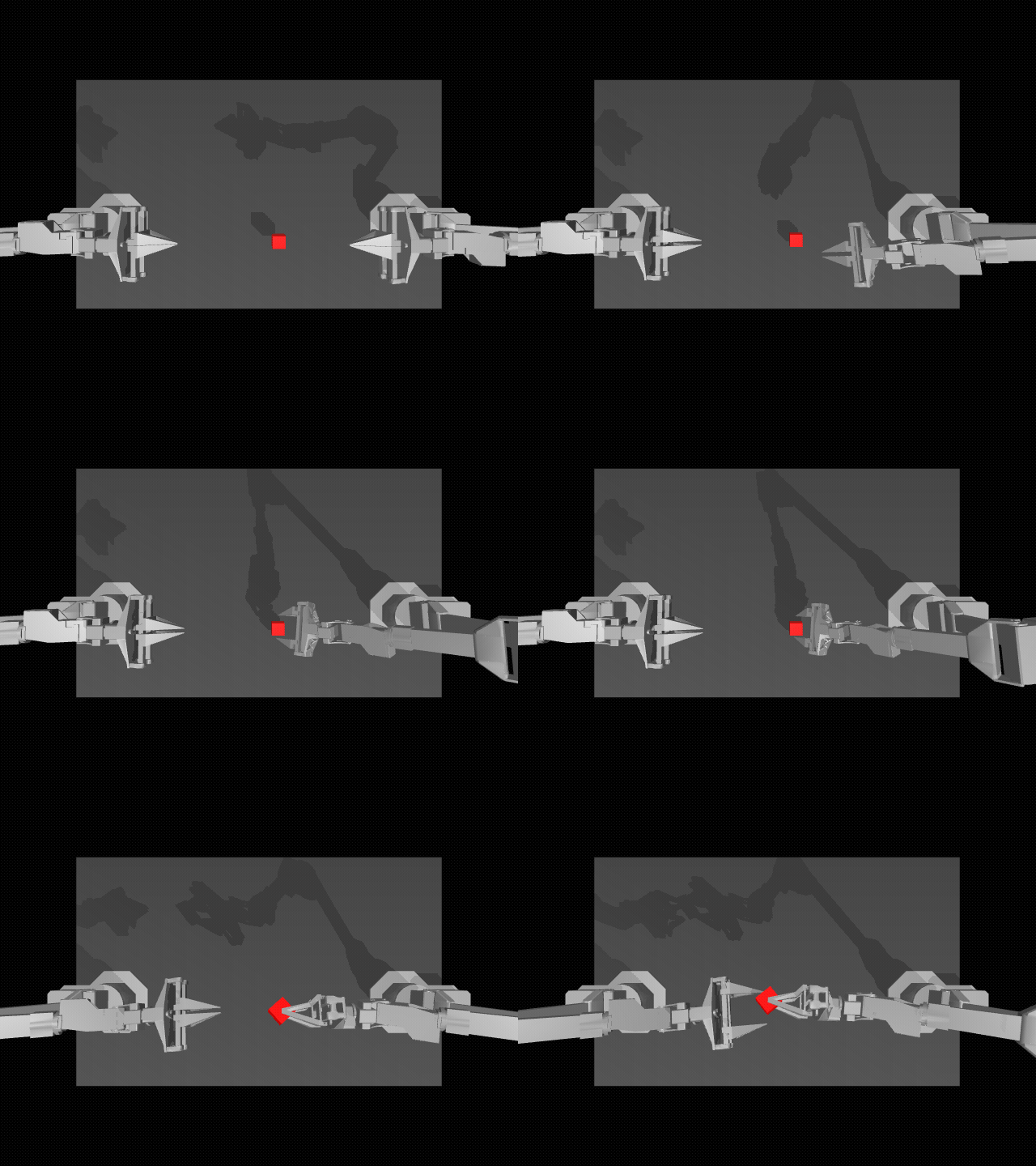
Stack Chan is a $99 desktop robot co-created by M5Stack and its community. Its CoreS3 has a touch display, camera, microphones, speaker, motion sensors, Wi-Fi, and Bluetooth. It can see, listen, and make faces. The one thing it was missing was wheels.
For lego-stackchan-drive, we put Stack Chan on a LEGO Technic car with inexpensive motors and a hub. We collected about 20 human-driven demonstration laps and used Robium’s LeRobot and Hugging Face skills to train an Action Chunking Transformer (ACT). That was enough for Stack Chan to follow a black line and, with a separate set of demonstrations, drive between red-and-white guardrails without a line during our supervised track trials.
We filmed the build, data collection, wrong turns, and driving trials as a fun little trailer. We hope you enjoy it and see what you can make with Robium. If you do, please star the Robium repository and explore the reference apps you can start using today.
No LEGO motors at home? Think about the wheels, motors, or mobile base you do have. Robium can help you adapt the drive hardware and integrate it with Stack Chan so you can make more of this little robot.
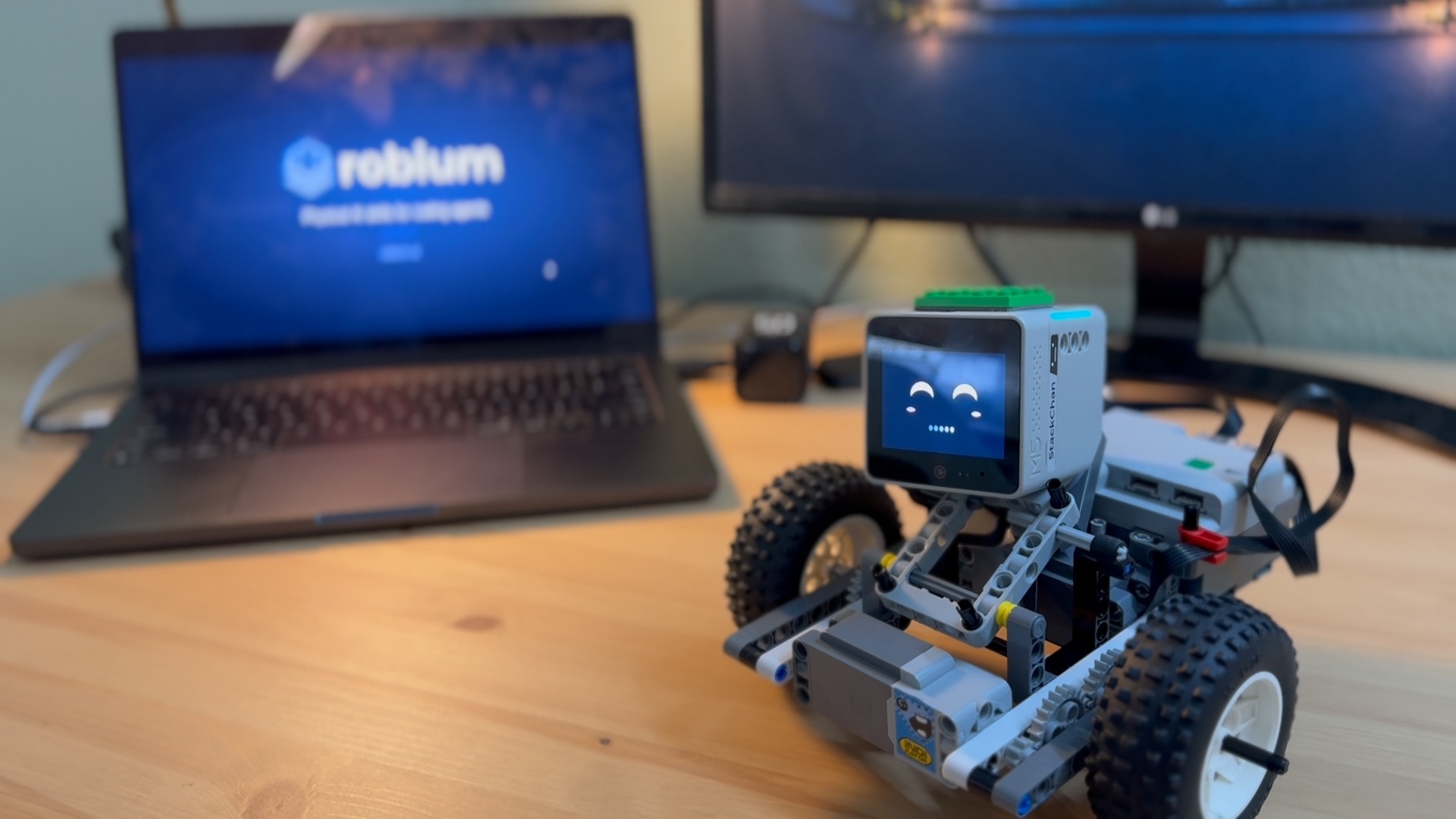
The real Stack Chan and LEGO car used in the filmed driving trials.
Watch on YouTube if the player does not load.
Inside lego-stackchan-drive
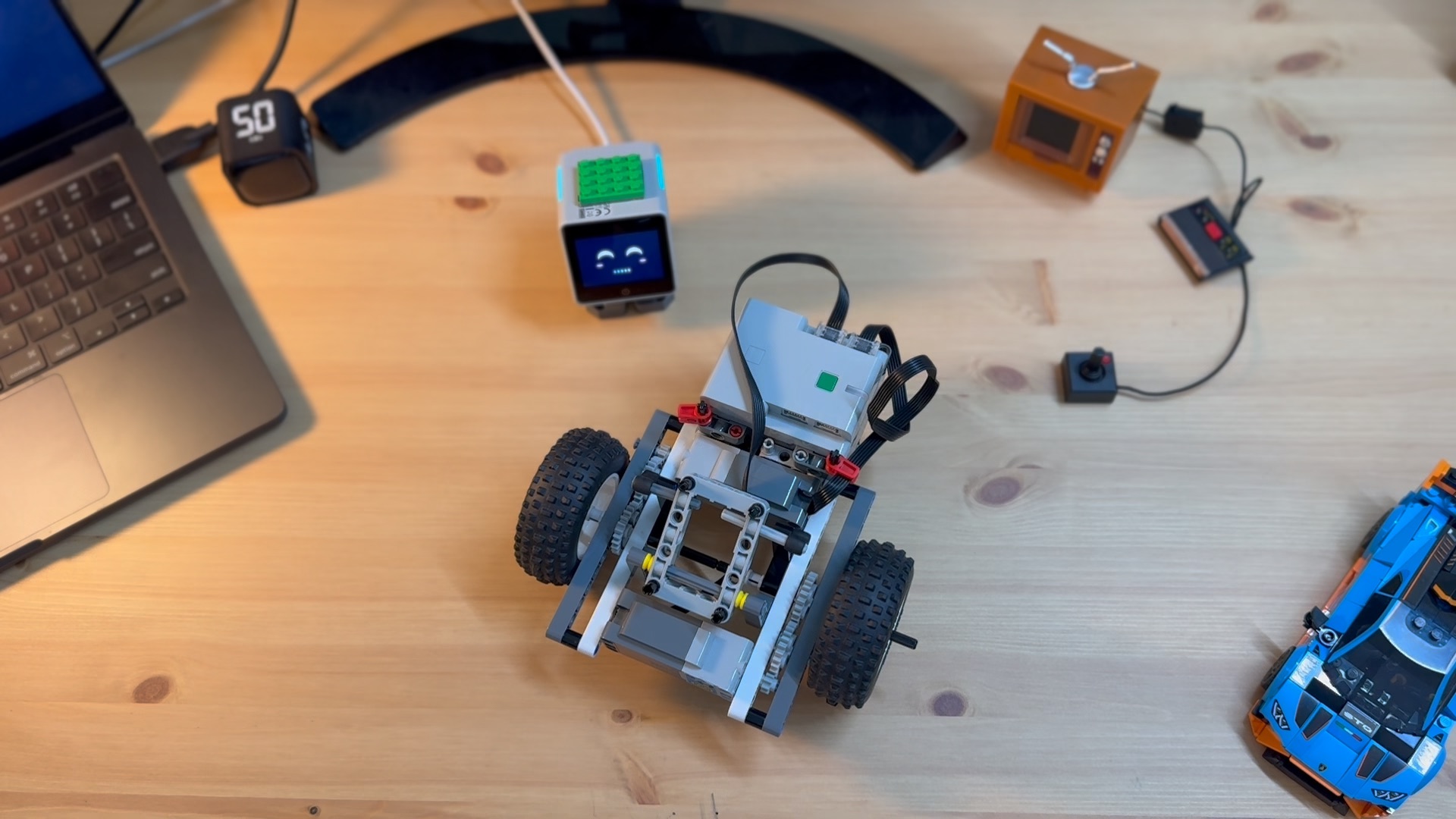
The camera head, Pybricks hub, motors, and LEGO wheelbase before the final mounting. This is a build photograph, not a driving result.
The M5Stack Stack Chan K151 supplies 320×240 camera frames over Wi-Fi, plus its face, head movement, and speaker. A LEGO hub running Pybricks drives two motors on ports D and B. A Mac receives the camera stream, reads a gamepad, and sends bounded motor commands over Bluetooth LE. The Mac also saves each image with the joystick action that was current when the image was captured.
The learned controller runs on the Mac, not on Stack Chan’s microcontroller. It uses LeRobot’s Action Chunking Transformer (ACT) to predict throttle and steering from each camera image. Although ACT predicts a short action chunk, the driver applies only its first action and observes a fresh frame before asking again. A one-second watchdog in the hub brakes the motors if commands stop arriving.
From demonstrations to a driving policy
- Build and check the hardware. Install the app’s locked Python runtime,
load the documented Pybricks hub program, and configure Stack Chan’s camera
firmware and Wi-Fi.
./app probechecks the camera and stopped hub with zero motor power before a driving session. - Drive and record. Open
./app run, steer the car with a controller or keyboard, and hold a recording trigger for each demonstration. The capture pairs camera images with throttle and steering samples. We rejected unsuccessful clips and kept whole runs together when splitting the data. - Prepare and train.
./app training prepareexports the accepted runs as LeRobot datasets. We used private Hugging Face dataset repositories and an L4 GPU job: a 200-step smoke run first, then full ACT training with validation every 1,000 steps../app training fetch --stage trainbrought the selected weights back to the Mac for offline evaluation. - Try it on the track.
./app run --policyloads the local checkpoint. Hold R1 or Space for policy control; release it or move a driving stick to take over. Each hold is limited to 20 seconds. The operator remains beside the robot during the trial.
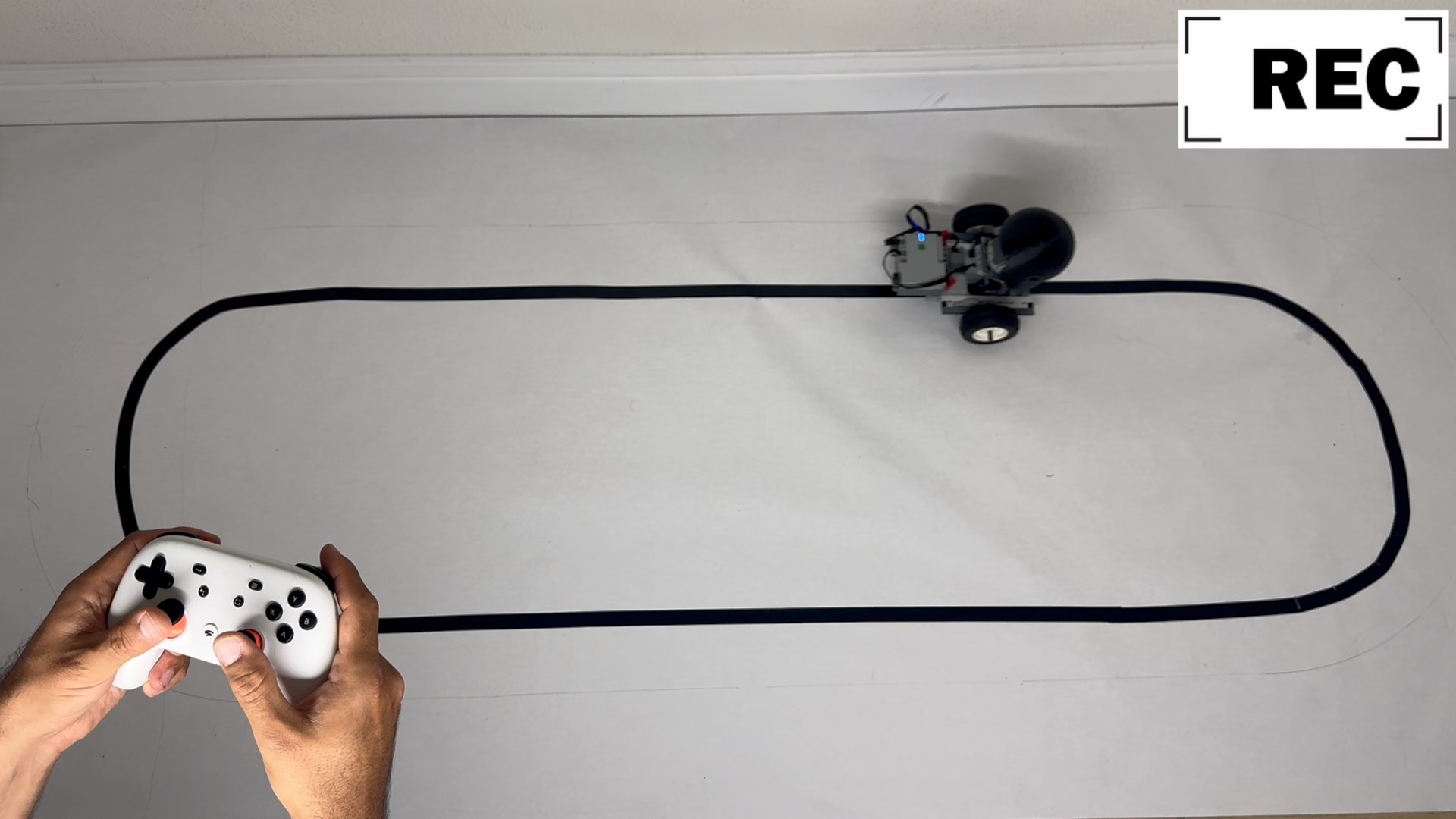
Human demonstration on the black-tape course. Camera frames were paired with the operator’s throttle and steering commands; video alone was not the training set.
The app README has the firmware, Wi-Fi, safety, capture, and training commands. The datasets and checkpoints from this experiment are private, so reproducing the training run requires collecting your own demonstrations and using your own Hugging Face account.
What the runs told us
Our first dataset contained 4,079 image/action pairs from 16 saved clips. Thirteen clips trained the policy; three complete clips, or 856 frames, were held out. The L4 job selected its 5,000-step checkpoint and stopped at 10,000 steps when validation stopped improving. On those held-out frames, steering mean absolute error was 0.1519 in normalized joystick units, compared with 0.4893 for a constant-action baseline. Shuffling the images raised the policy’s steering error to 0.5410, evidence that it used the visual input.
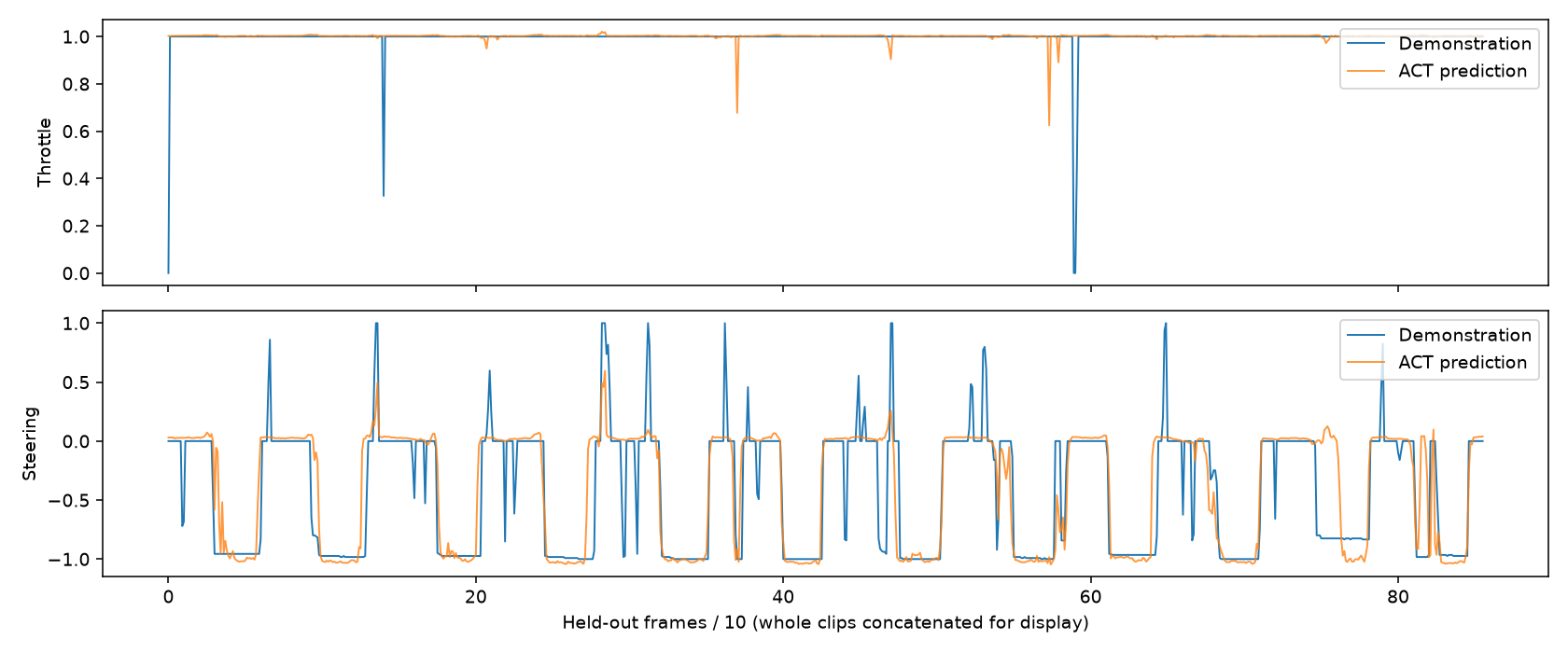
Recorded offline evaluation of the first road-v1 checkpoint on three held-out clips. Blue is the human action; orange is the model prediction. Agreement here does not measure whether the car completes a physical lap.
The camera and direction lessons
Our first camera framing looked too far toward the horizon. It did not keep the black line in view around the whole loop, so the policy sometimes had no route to follow. We aimed the camera roughly 45° down toward the floor and collected fresh demonstrations with the line visible more consistently. The 15-second excerpt below is Stack Chan’s camera view from about one minute into a screen recording of a joystick demonstration. It shows the black line moving through the camera frame; it is not a policy-driven lap.
Real camera footage, cropped from 1:00 to 1:15 of the September 27 screen recording during human-controlled data collection.
Direction mattered too. A first set driven only clockwise gave better track-side results in that direction. When we mixed in counterclockwise runs, performance dipped for a while. More demonstrations in both directions improved the observed line following. These are observations from the filmed development process, not a controlled success-rate comparison.
The guardrail course
The next challenge replaced the black line with a route bounded by low red and white LEGO guardrails. After its first collection of demonstrations, Stack Chan followed this course with few visible problems in our supervised trial. That was encouraging, but it remains a trial on this specific course rather than a general result for unseen layouts.
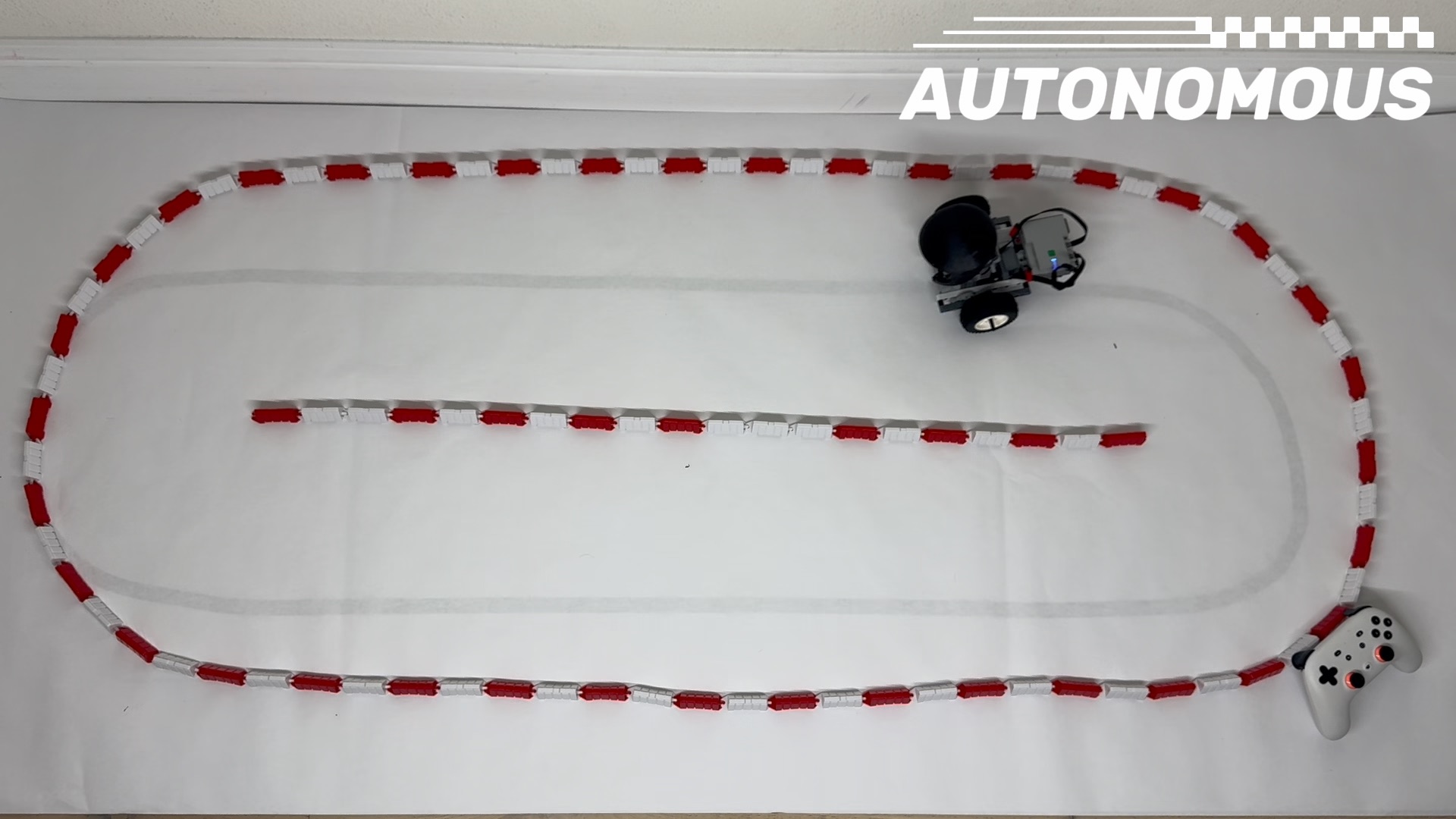
Filmed policy-driving trial on the red-and-white guardrail course. The image shows a moment in the run, not a measured lap success rate.
The separate guardrail ACT run trained on 2,404 frames from two source clips. On its one held-out clip of 175 frames, steering error was 0.1232 in normalized joystick units. The plot shows where its actions matched and missed the recorded demonstrator. One short held-out clip is not enough to quantify physical reliability, and these numbers are not comparable with the black-tape experiments.
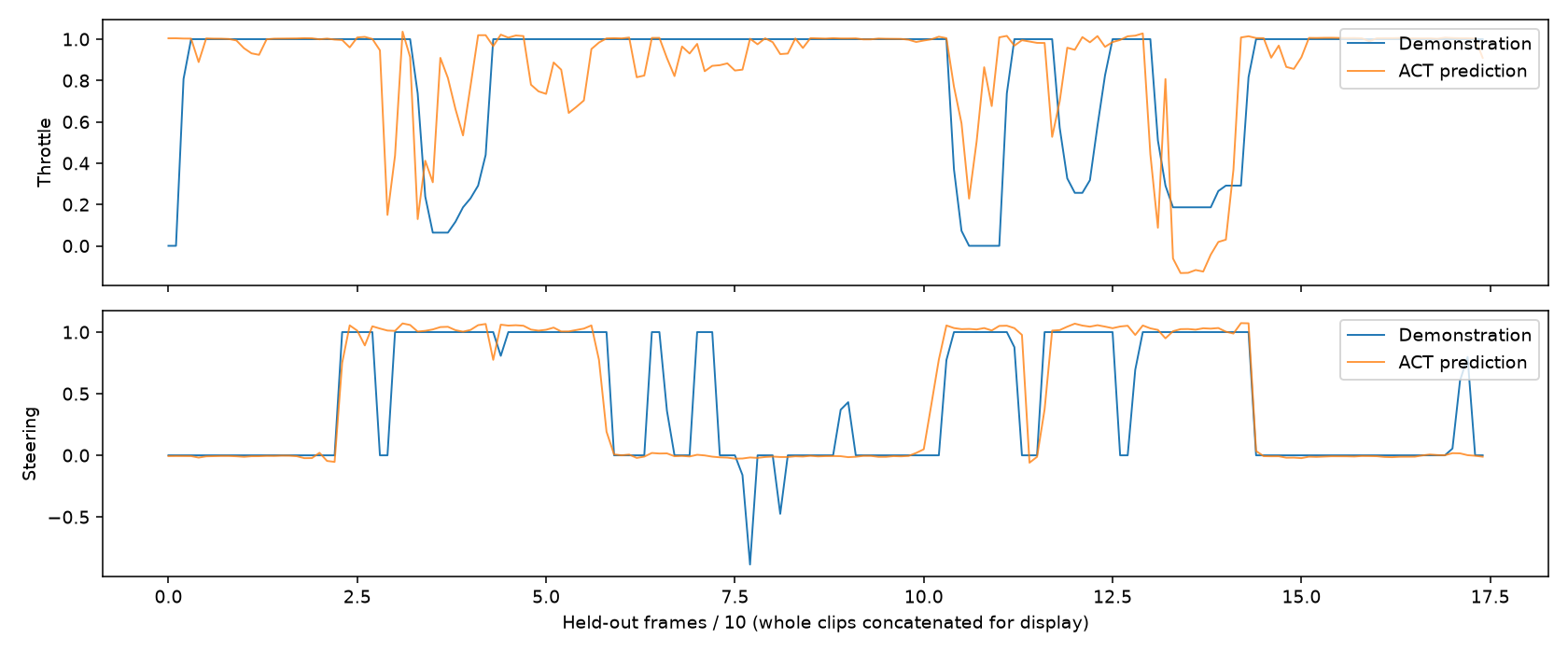
Recorded offline evaluation of the guardrail model on its single held-out source clip. Blue is the human action; orange is the model prediction.
The full training record includes the dataset splits, model checks, plots, and limits for these runs.
Keep building with Stack Chan
Robium also has a Stack Chan ER2 companion that uses voice, vision, and guarded robot actions, and a browser-backed Stack Chan simulator for trying its face and voice loop without hardware. The LEGO Powered Up teleoperation app is a smaller starting point for the Pybricks motor path. The driving app joins those pieces with data collection and a learned policy, and keeps its source and setup notes in the Robium applications library.