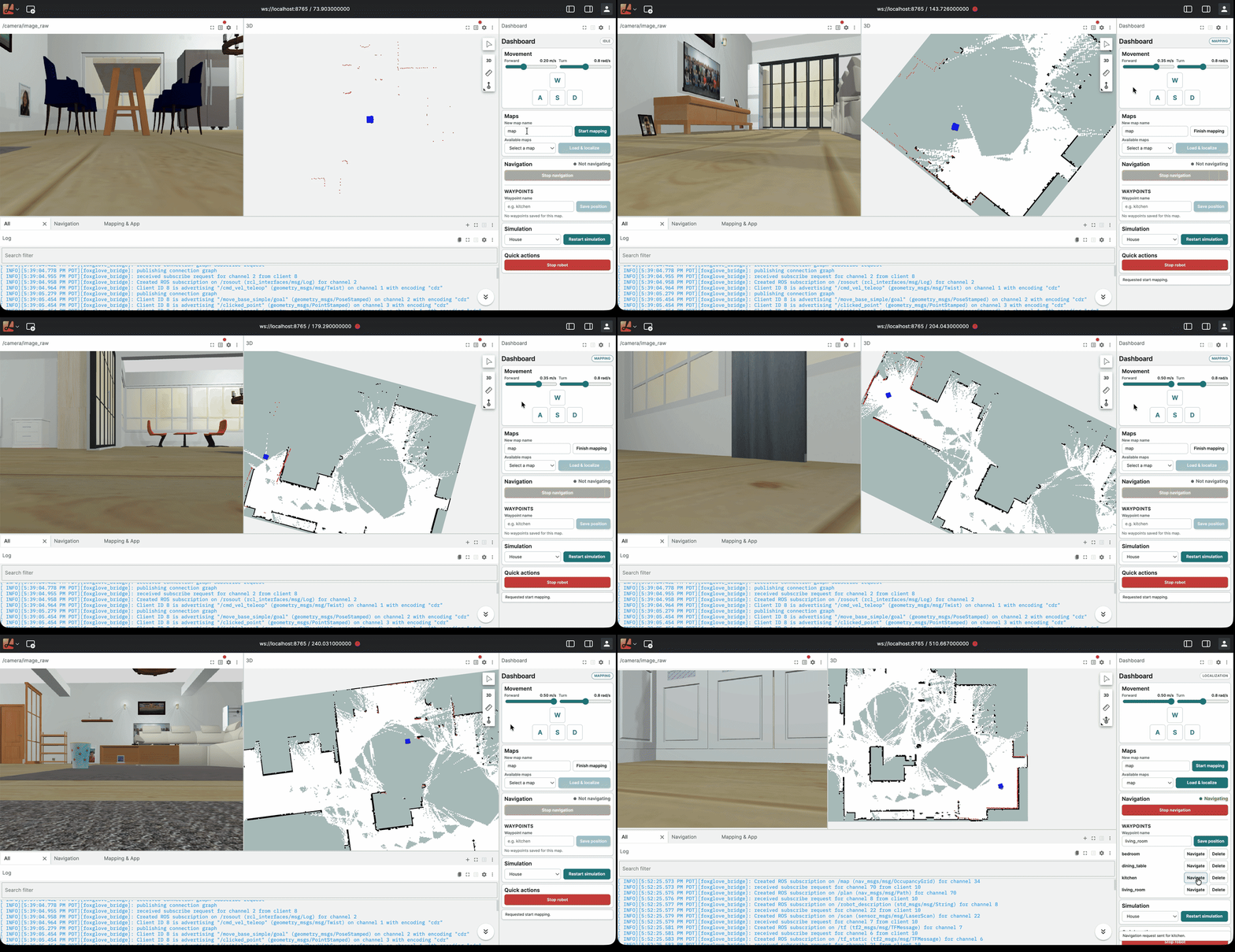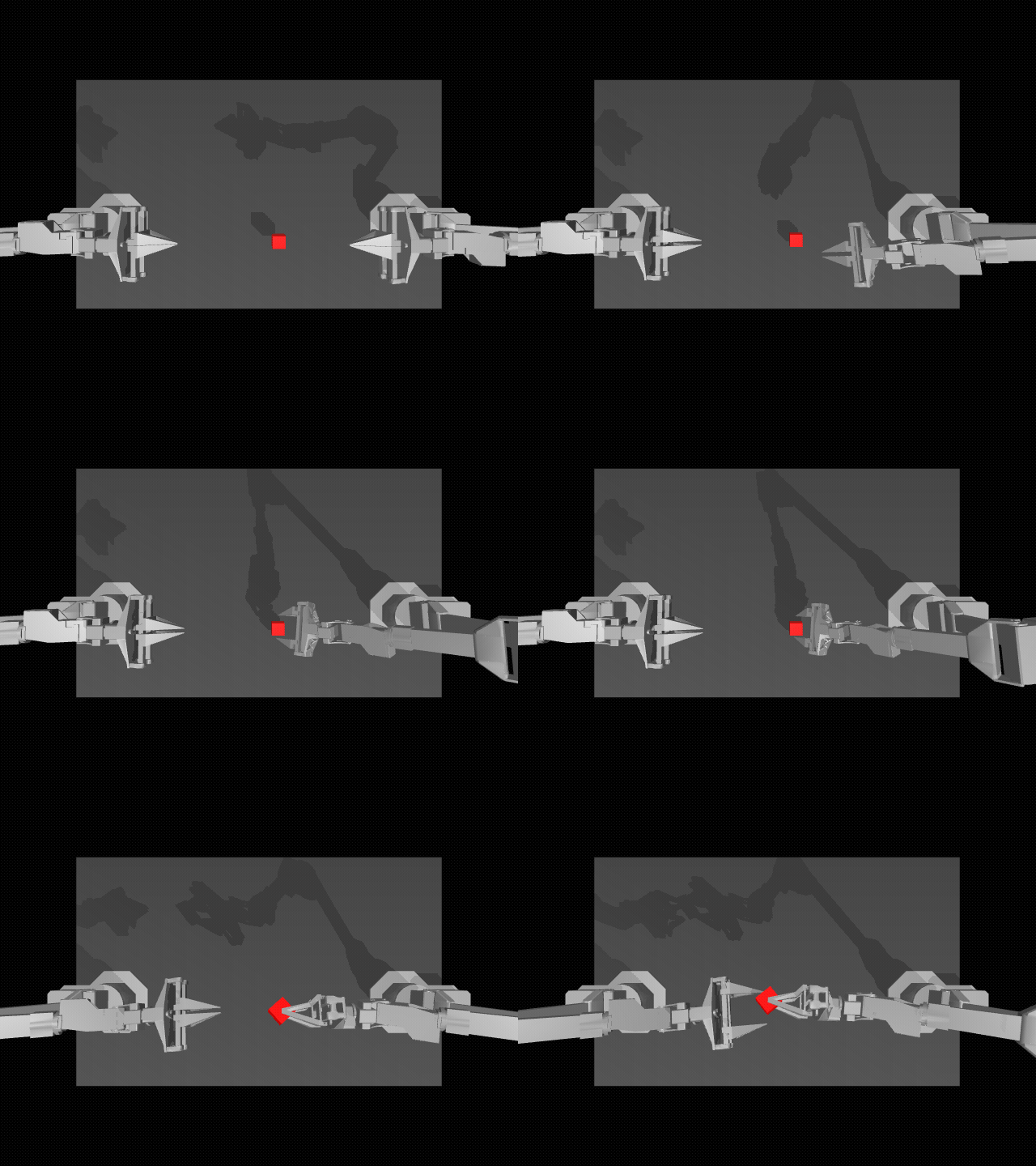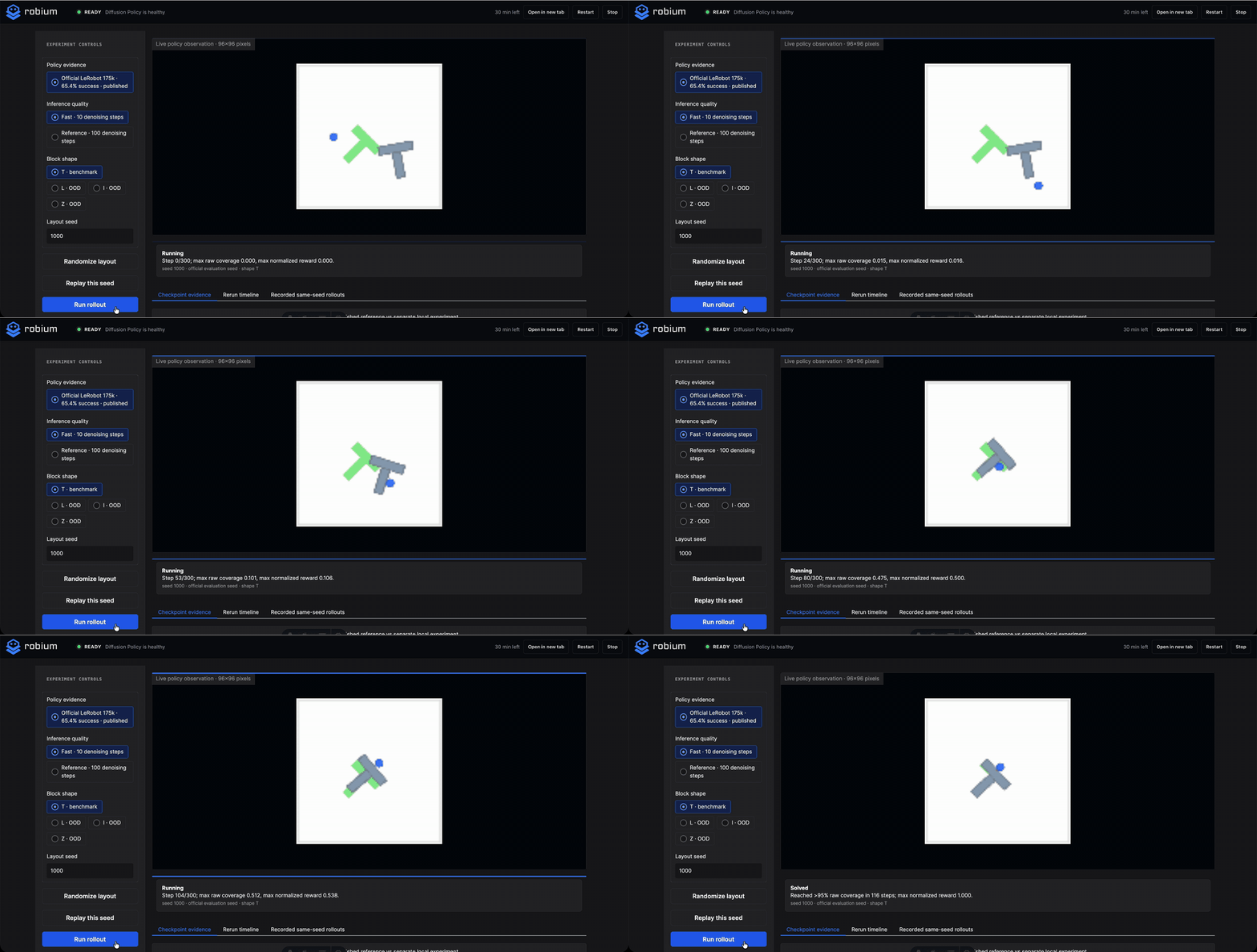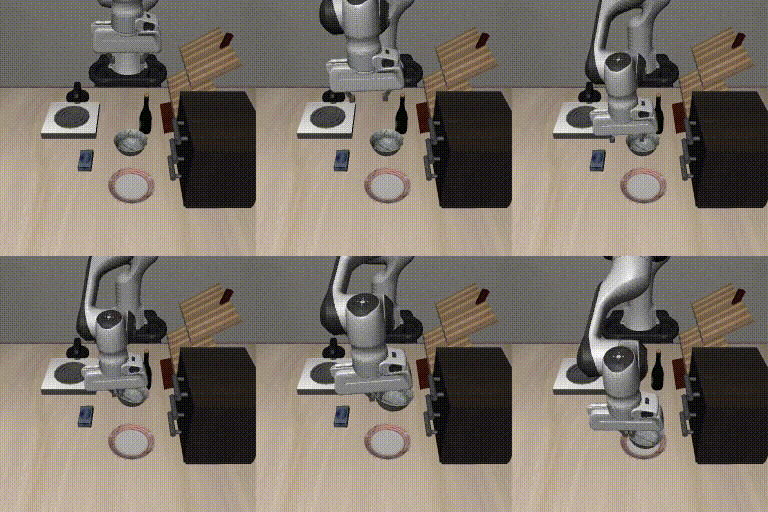
The Physical AI skills your agents need

An open-source Physical AI harness: a continuously evolving collection of field-tested robotics expertise spanning the leading frameworks, simulators, libraries, and developer tools. Install Robium as a plugin to empower your favorite AI coding agent with the robotics skills it needs.

terminal
npx robium-ai setup
✓ robium skills installed into Claude Code
claude

> scaffold a project: a LeRobot arm on a mobile ROS 2 base, LeRobot + Nav2, sim first
⚙ skills loaded: architect · lerobot · nav2 · simulation · environments

> set up the VLA fine tuning pipeline on RunPod with dataset from hugging face
⚙ skills loaded: environments · data · huggingface

> deploy the sim demo to Cloud Run
⚙ skills loaded: live-demo · cloud-run

Field-tested, distilled skills from the leading Physical AI platforms

ROS 2 logo ROS 2 logo Nav2 logo Gazebo logo Gazebo logo LeRobot logo Hugging Face logo Hugging Face logo Isaac Sim logo MuJoCo logo Foxglove logo Foxglove logo Rerun logo Rerun logo Docker logo Docker logo Cloud Run logo Cloud Run logo RunPod logo RunPod logo
Why robium

Distilled from real projects

Every skill is distilled from production codebases, open-source projects, reference applications, working examples, and real engineering sessions across the Physical AI ecosystem.

Self-evolving

Robium continuously evolves by learning from the robotics ecosystem and your team's codebase, custom hardware, documentation, and engineering workflows.

Works across the ecosystem

Comprehensive support for the leading Physical AI frameworks, simulators, libraries, datasets, developer tools, and cloud platforms. All your robotics expertise in one place.

Works with your agent

Install Robium as a plugin to empower your favorite AI coding agent with the robotics expertise needed to make informed engineering decisions across architecture, implementation, testing, and deployment.

Focus on your application

Robium handles environment setup, simulator configuration, integrations, project scaffolding, and version compatibility so you can focus on your robot, application, and ML models.

Open by default

MIT licensed, community-driven, and continuously expanding to support new frameworks, tools, and engineering workflows across the Physical AI ecosystem.

Get started

Pick your agent

One command installs Robium for the coding agents on your machine. Pull the repo anytime to update.

npx robium-ai setup

Auto-detects your agents; clones to ~/robium (one prompt).

Prefer to install manually? View clone commands
git clone https://github.com/robium-ai/robium ~/robium mkdir -p ~/.agents/skills && ln -s ~/robium/skills/* ~/.agents/skills/

Or skip step two: inside the clone, agents discover the skills automatically.

Your app stays in its own repo; Robium lives beside it as the source of truth. Any tool using the open Agent Skills standard can read the same install.

The knowledge layer Browse the full catalog ↓
Entry point · routes everything architect

Describe the robot, the task, the hardware. Architect returns a full stack decision (middleware, sim, data, training) plus a written brief, then routes every skill below.

testing

Smoke tests · sim regression · policy eval · CI

test-assets

Canonical worlds · models · fixtures

live-demo

Working app → public web demo

cloud-run

Ship headless sims to Cloud Run

simulation

Gazebo vs Isaac · sensor fidelity · sim-to-real

gazebo

SDF worlds · sensors · ros_gz bridge · headless

mujoco

MJCF · IK · contact-rich manipulation

isaac-sim

USD scenes · ROS 2 bridge · headless GPU

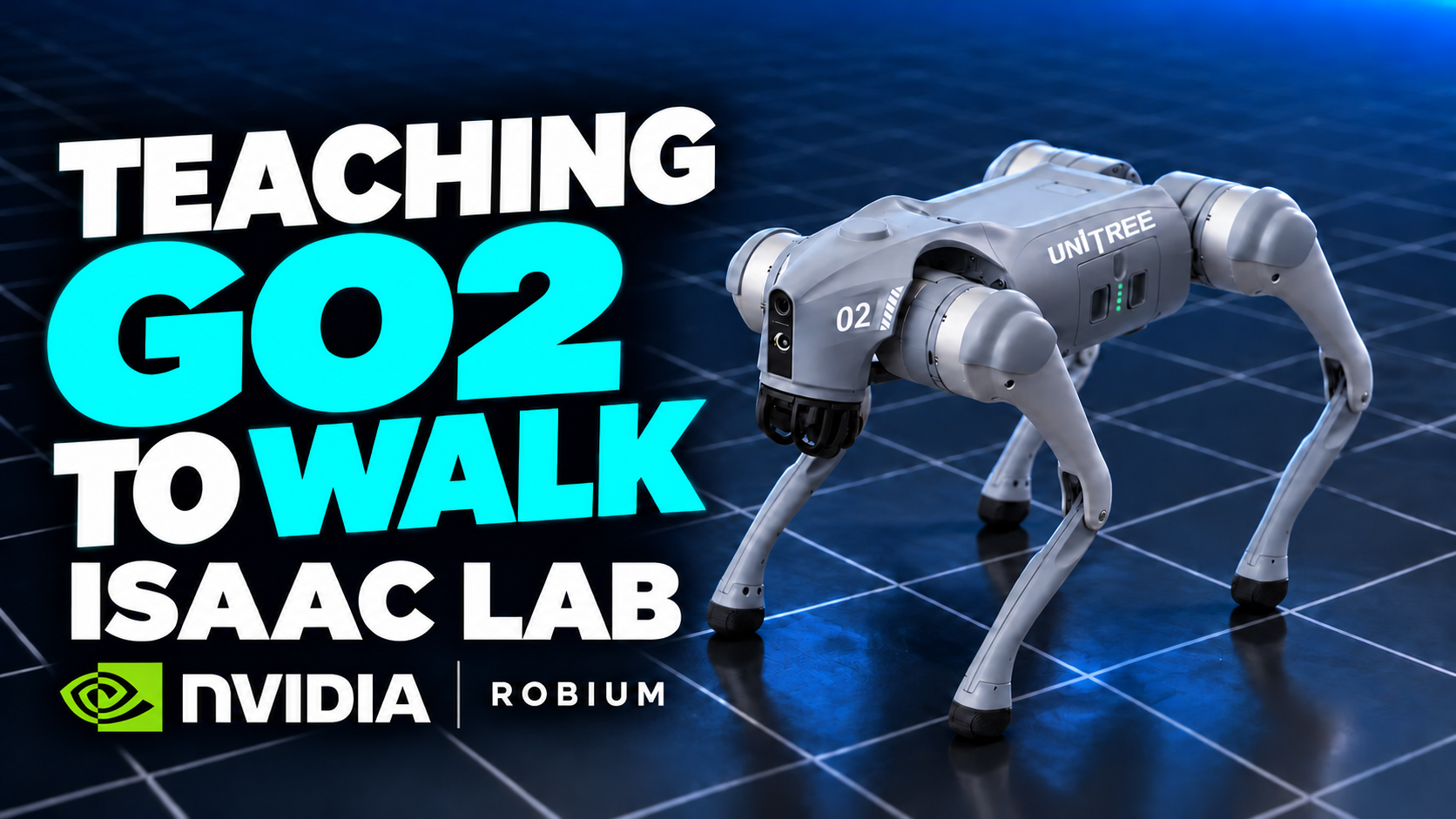
isaac-lab

RL & imitation on Isaac Sim

data

Offline datasets · sim-generated · teleop

lerobot

Record episodes · train ACT / diffusion / pi0 · teleop

huggingface

Hub datasets · models · Spaces

visualization

rviz2 vs Foxglove vs Rerun: what to watch, when

foxglove

Layouts · MCAP · remote viz

rerun

Timelines · rollouts · sensor streams

rviz2

TF debugging · display fixes

ros2

Build workspaces · launch systems · topics & TF

nav2

Behavior trees · costmaps · localization

integration

Module boundaries · messaging · compose

environments

uv vs Docker · identical local & remote runs

New learning-loop

Session learnings → evidence-gated skill PRs

New mining

External repos → hardened skills

skill-author

Authoring workflow · quality bar · validator

Continuously evolving Every skill versioned · Open source · MIT
Agent robium-architect

Picks the whole stack before any skill fires.

How it fits

The agentic development harness

Robium provides robotics expertise, your project provides context, and your AI coding agent orchestrates the entire Physical AI engineering workflow, from architecture and implementation to simulation, testing, and deployment. Every successful build contributes new learnings that continuously improve future skills.

ROBIUM plugin + skills Architecture Middleware Simulation Data ML / Training Visualization Infrastructure Testing architect selects + loads the skills each task needs LEARNINGS Build sessions Repository patterns Versioned skill updates improves skills > build a mobile robot app with arm manipulation >_ YOUR AGENT claude codex gemini YOUR CONTEXT Application Codebase Company knowledge Custom hardware Internal docs grounds the agent TARGETS build · test · deploy robot simulation cloud builds feed learnings back
Who it's for

Bridge the robotics–AI gap

Whether you're coming from robotics or AI, Robium fills the missing expertise so your AI coding agent can build complete Physical AI systems.

Line drawing: an engineer teleoperates a mobile robot with a joystick while a ROS 2 screen shows the planned route
Robotics engineers

From robotics to Physical AI

You know ROS, middleware, and hardware. Robium fills the ML gap, from datasets and LeRobot to policy training and modern Physical AI workflows.

Line drawing: an ML engineer works at a screen showing a Hugging Face session while a desktop robot arm reaches for a cube
AI & ML engineers

From AI to robotics

You know Python, PyTorch, and model training. Robium fills the robotics gap, from ROS 2 and simulation to deployment on real robots.

Line drawing: a team watches a humanoid robot load a dishwasher while a developer works from a behavior-tree diagram
Engineering teams

Standardize robotics development

Give every engineer the same robotics expertise while capturing your team's knowledge into reusable skills that improve over time.

What's inside Robium

robium · MIT

One install adds the whole toolchain to your agent: the skills carry the expertise, an architect agent picks the stack, and the reference apps prove the whole thing runs.

robium/
├── skills/              versioned expertise
│   ├── architect
│   ├── ros2 · nav2 · gazebo
│   └── …
├── agents/
│   └── robium-architect
├── apps/                reference applications
├── cli/                 npx robium-ai setup
└── learnings/           the feedback loop

skills

The expertise. Versioned robotics skills containing field-tested engineering knowledge, ecosystem integrations, patterns, and best practices.

agents

The orchestrators. Specialized agents that analyze requirements, select the right stack, and coordinate the engineering workflow.

applications

The reference implementations. Complete robotics applications that validate the skills and serve as production-ready examples.

cli

The developer tools. Install Robium, validate your environment, discover skills, and keep everything up to date.

learnings

The feedback loop. Captured engineering learnings continuously improve the skill library through reviewed updates.

Full skill catalog

generated from the repo at build time · browse on GitHub →

Every skill is versioned, field-tested by the reference apps, and open source. Search, filter by category, or expand a row for the full description, related skills, and source links.

architect v1.8.1 Turns requirements into a full stack decision and a written architecture brief. stack selectiondesign Architecture

Entry-point skill for designing robotics applications with AI agents. Turns requirements (robot type, task, hardware, sim-vs-real, GPU/budget) into a full stack decision (middleware, simulation, data, visualization, training frameworks) plus a scaffold plan and a written architecture brief.

Related
gazebo v1.3.3 SDF worlds, sensors, the ros_gz bridge, and headless operation. GazeboSDFros_gz Simulation

Modern Gazebo (gz, Harmonic/Ionic line) simulation: SDF worlds and models, sensors (lidar, camera, IMU, contact), the ros_gz bridge, spawning robots, and headless/server operation.

Related
isaac-lab v1.1.2 RL and imitation learning on Isaac Sim. Isaac SimRLimitation Simulation

NVIDIA Isaac Lab: reinforcement-learning and imitation-learning workflows on top of Isaac Sim: prebuilt environments and tasks, training runs, and exporting policies.

Related
isaac-sim v1.1.2 GPU requirements, USD scenes, the ROS 2 bridge, headless operation. Isaac SimUSDGPU Simulation

NVIDIA Isaac Sim: installation and container setup, GPU/driver requirements, USD scenes, robots and sensors, the ROS 2 bridge, and headless/livestream operation for remote servers.

Related
mujoco v1.0.2 Lightweight, contact-rich manipulation simulation without ROS. MuJoCoMJCFmenagerie Simulation

MuJoCo for lightweight, contact-rich robot manipulation simulation on macOS/Linux, especially single-arm grasping without ROS: headless offscreen rendering, MJCF models, mujoco_menagerie assets, damped-least-squares inverse kinematics, and empirical grasp calibration.

Related
simulation v1.1.2 Choose the right simulator and simulate sensors correctly. GazeboIsaac Simsensors Simulation

Choose and set up robotics simulators, and simulate sensors correctly: Gazebo vs Isaac Sim selection, sensor fidelity (rates, noise models, frames matching the real robot), determinism, and sim-to-real considerations.

Related
data v1.2.3 Choose between offline datasets, sim-generated data, and teleop collection. Open X-Embodimentteleop Data

Data sourcing strategy for robotics and physical-AI: choose between offline datasets (HuggingFace hub, Open X-Embodiment and similar), simulation-generated data, and teleop/real-robot collection; plan storage formats, episode structure, and dataset versioning.

Related
huggingface v1.1.2 Hub datasets, models, demo Spaces. Hugging FaceHubSpaces Data

HuggingFace ecosystem for robotics projects: hub datasets and models for robot learning, and demo Spaces. DELEGATES: for hub mechanics (download/upload/auth/jobs), install HuggingFace's own skills (/plugin marketplace add huggingface/skills, then /plugin install hf-cli@huggingface-skills) and defer to them; this skill adds only the robotics-specific layer (which datasets and models matter for manipulation and navigation, robotics dataset conventions on the hub).

Related
lerobot v2.1.3 Datasets, policy training, evaluation, and teleoperation. LeRobotACTSmolVLA Data

HuggingFace LeRobot for physical-AI manipulation: the LeRobotDataset format, loading and recording episodes, training policies (ACT, diffusion, pi0) and VLAs (SmolVLA), evaluating in simulation, and teleoperation.

Related
foxglove v1.5.2 Layouts, MCAP, remote visualization. Foxglovefoxglove_bridgeMCAP Visualization

Foxglove for robotics visualization: foxglove_bridge setup for live ROS 2 robots, layouts, MCAP recording and playback, and remote/web visualization of robots running on servers.

Related
rerun v1.2.2 Log and view rollouts and streams. ReruntimelinesPython API Visualization

Rerun for data-centric robotics and ML visualization: logging APIs (Python), timelines, entity paths, and viewing policy rollouts, episode data, and sensor streams.

Related
rviz2 v1.0.3 TF debugging and display fixes. RViz2TFmarkers Visualization

RViz2 visualization for ROS 2: displays, TF frame debugging, markers, saved config files, and the common 'nothing shows up' fixes (fixed frame, QoS, sim time).

Related
visualization v1.0.4 Choose rviz2 vs Foxglove vs Rerun, and what to visualize when. rviz2 vs Foxglove vs Rerun Visualization

Choose and apply robotics visualization: selection guidance for rviz2 vs Foxglove vs Rerun, plus best practices: what to visualize at each dev stage, live vs recorded, local vs remote.

Related
environments v1.7.1 Decide uv vs Docker and make local and remote runs reproduce identically. uvDockerGPU Infrastructure

Virtual-environment-first setup for robotics projects: decide uv/venv vs Docker, make local and remote-server runs reproduce identically, handle GPU passthrough and headless/display forwarding.

Related
integration v1.2.3 Module boundaries, inter-module communication, and compose wiring. ROS 2zenohgRPC Infrastructure

Glue robotics modules into one running system: choose module boundaries, pick inter-module communication (ROS 2 topics/services/actions, zenoh, gRPC, REST, shared memory), and write solid Dockerfiles and docker-compose for robotics workloads.

Related
nav2 v1.5.1 Behavior trees, costmaps, and tuning. Nav2behavior treesAMCL Infrastructure

Nav2 mobile-robot navigation for ROS 2: bringup, behavior trees, costmaps, planner/controller servers, localization (AMCL, slam_toolbox), waypoint following, and tuning.

Related
ros2 v1.7.1 Workspaces, colcon, topics, QoS, TF2. ROS 2colconQoS Infrastructure

Core ROS 2 usage: workspaces, colcon builds, packages (ament_python/ament_cmake), nodes, topics/services/actions, QoS, launch files, parameters, TF2, rosdep, and gluing third-party packages together.

Related
cloud-run v1.0.2 Deploy sim containers to Cloud Run. Cloud RunArtifact RegistryWebSockets Deployment

Deploy headless robotics / sim / demo containers to Google Cloud Run: the build → Artifact Registry → Cloud Run path plus the gotchas that bite sim workloads (no UDP multicast for gz-transport/DDS, CPU allocated only while a request is open, session affinity for per-visitor instances, request timeout / concurrency for long-lived WebSockets, VPC subnet sizing).

Related
live-demo v1.3.3 Turn a working app into a public, interactive web demo. Cloud RunFoxglove Deployment

Turn a working robium app into a public, interactive web demo: a mission-control demo page (start/stop instance buttons, live boot terminal, fleet budget), per-visitor simulator instances on Cloud Run (scale-to-zero), and a visualizer handoff (Foxglove deep link or self-hosted viewer).

Related
learning-loop v0.2.1 Consolidates captured learnings into evidence-gated skill-update PRs. consolidateabsorbPRs Meta

The session-side surface of robium's learning engine: consolidate captured flags and learnings into evidence-counted observations, absorb ready observations into anchor-targeted skill-edit PRs via the deterministic delta pipeline, refine (prune/dedup/staleness) through the same pipeline, run blind variant A/B on contested edits ('experiment', 'A/B this edit', 'try competing fixes'), deep-verify unverified examples in pinned fixtures ('deep verify', 'verify the examples'), and report loop health.

Related
mining v0.1.2 Mines external repos for the catalog. external reposobservations Meta

Registry-driven mining of external example repos: the learning engine's second experience source. Surveys, deep-reads, and comparatively analyzes approved repos (vendor demos, framework samples, community robot apps) into evidence-cited observations (origin: external) that harden robium skills or propose new ones; maintains crawl records for drift re-checks.

Related
skill-author v2.0.2 Authoring workflow and the quality bar. templatequality bar Meta

Author new robium skills and enforce the catalog quality bar. Owns the authoring workflow from skills/_TEMPLATE, the quality bar (references/quality-bar.md: template compliance, trigger-surface descriptions, <500-line bodies, stated delegation posture, upstream links, no invented syntax), and scripts/validate_skills.py: run it after ANY skills/ change.

Related
test-assets v1.0.3 Canonical worlds, models, and datasets. worldsfixturesgolden policy Meta

Canonical test assets and fixture sourcing for robotics testing: which worlds, robot models, sample datasets, and recordings to test against for a given robot type; the standard test-assets folder layout with a provenance manifest; pointer vs vendored sourcing modes; fixture and golden policy (tolerance bands, seeded generation).

Related
testing v1.4.3 Smoke tests, sim-based regression, policy eval, and CI patterns. launch testsCI Meta

Test-driven robotics development: smoke tests for launch files, sim-based regression tests, node-level unit tests, policy eval as a test, and CI patterns for robotics repos.

Related

Frequently asked questions

Which coding agents does Robium work with?

Claude Code, Codex, Gemini CLI, and Cursor. One command, npx robium-ai setup, detects the agents on your machine and sets up each one (or target one: --agent codex). The skills follow the open Agent Skills format, so any agent that speaks it can read them.

Do I need a robot or a GPU?

Not necessarily. Everything starts in simulation: manip-trial trains and evaluates a policy on a GPU-less MacBook, and nav-trial runs Gazebo fully headless in Docker. When a build does need muscle, the skills cover running the same stack on remote GPU servers and in the cloud.

What exactly is a skill?

A versioned folder of expertise your agent loads when a task calls for it: field-tested guidance (which simulator, which viewer, the failure modes docs don't mention) plus curated reference notes and runnable examples: real Dockerfiles, launch files, SDF worlds, and Python snippets. No invented syntax to learn; just knowledge your agent acts on.

Why not just ask my agent directly?

Frontier agents know robotics in general. They don't reliably know which Gazebo pairs with which ROS 2 release, or why a cloud-hosted sim needs a unicast relay. Skills pin that judgment and those facts, versioned and verified against real builds, so your agent doesn't re-derive or hallucinate them.

How do skills stay correct as the ecosystem moves?

The catalog runs a learning engine: build sessions capture what broke and what fixed it, mining pulls proven patterns from ecosystem repos, and evidence-gated pull requests fold both back into the versioned skills; a human merges every change. LeRobot's API churn has already forced a major version bump.

Can it capture my team's own knowledge?

Yes. Capture hooks log what breaks and what works during your builds, and the skill-author workflow turns that into skills for your own stack (your conventions, your hardware, your infra), hardened by the same loop that maintains the public catalog.

Is it free?

Yes, MIT-licensed. The plugin, the full skill catalog, and the CLI are open source at github.com/robium-ai.

Can I contribute a skill?

Yes, and the contribution unit is deliberately small: one skill. Copy the template, pass the validator, open a PR.